
UX writing has the power to bring your products to life. The goal of UX writing is to use clear, conversational language to guide users as they interact with your product. This often involves collaborating with a UX designer to shape a meaningful user experience. Here are ways you can bring your product to life through UX writing:
Guide the User through UX Writing

Think about how your product adds value to your customer. Does it bring entertainment, or does it make life more convenient? As you guide the user through learning how to use your product, keep this at the forefront so that you can enhance your customer’s interaction with your brand.
Think About the User in the Process
Understand what your user might be thinking at specific points in the process of using your product. Being unaware of your user’s process could leave them guessing where to go next. Instead, be clear about where you are leading your user, so your user can be confident in the process too.
Write for Clarity

Without clarity, users could be left frustrated, not knowing how to proceed when using your product. Effective UX writing answers questions users might have before purchasing your product or while they’re in the middle of using your product. An example of confusing vs. clear UX writing is indicated in the copy in the image below, which was written for a user in the process of cancelling a subscription. In the confusing “Cancel” labels, both buttons say “Cancel.” A user could easily hit the button that only says “Cancel,” with the intention of cancelling the subscription. However, as shown in the second option on the right, replacing the “Cancel” button with a “Keep Plan” button makes the process clearer for the user.

Make an Impact with Microcopy
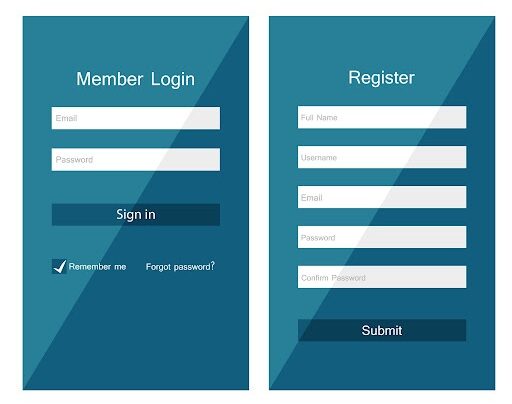
Microcopy consists of small pieces of instructional or informational text that guides the user, such as text on buttons or contact forms. Strong microcopy is concise, clear, and easy to understand, which builds trust with the user.
Write Scannable Text
Users don’t usually read web pages word by word. Instead, they often scan pages just for the information they need. In frontloading, a technique used to write scannable text, important information is provided first. An example of frontloading, shown in the image below, places the text, “Wrong password” first, allowing users to understand the next steps for a successful login.

Bring Your Brand to Life
Through UX writing, you have the opportunity to showcase your brand’s personality by using your unique brand voice. An example is this 404 error page by Pixar, where users are met by the character Sadness from the movie Inside Out along with the copy, “Awww…Don’t Cry.” This copy is coupled with, “What you’re looking for may have been misplaced in Long Term Memory.” The UX writing adds to the user experience, even on a 404 error page.

In UX writing, every word serves a purpose, as you write to provide clarity and build connection with the user. If you’re looking to bring your product to life through UX writing, reach out to Deal Design today.